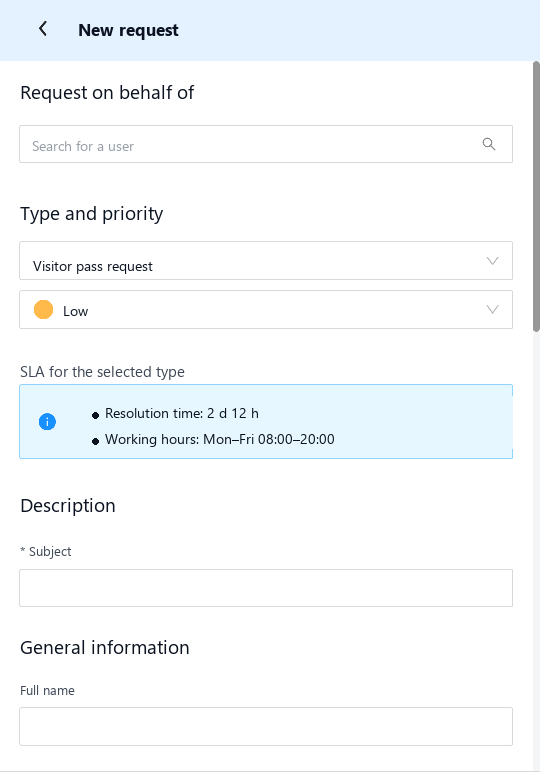
“Clean the meeting room”, “the printer is down”, “order a visitor pass” arrive through messengers, personal mailboxes and verbally in the corridor. The facility team has no queue, no deadlines and no history.
Nobody can say how many requests are open right now and which of them are urgent. Priority goes to whoever asks loudest.
“We will do it this week” is recorded nowhere. A missed deadline surfaces only when the requester comes to complain.
Who caused the delay, which contractor is consistently late, what a floor cost to maintain last quarter — there is no data.
Rolling out a full ITSM platform just for facility requests means months of project work and staff training. The task does not justify it.
The Service Desk module turns this flow into a managed process in one working day — with no heavyweight ITSM rollout and no staff training. The “Office facility requests” type is deliberately simple: the employee describes the work in their own words, and the assignee takes care of classification.
The system sends a notification on every transition: nobody has to track a request manually or ask “any news?” in the chat.
The request is created from a phone. The system notifies the assignee group and the shared service mailbox. The e-mail contains a direct link to the request.
The assignee presses “Take into work”. The system records who accepted the request and notifies the requester.
The work is finished. The requester gets a notification and decides: accept the result or send it back for rework.
The requester confirms the result. If there is no reaction within a configured period — three working days, for example — the request closes automatically.
Returned with a description of what is wrong. The request goes back to the same assignee and both participants are notified — no e-mail thread needed.
| Event | Who is notified | Channel and content |
|---|---|---|
| Request created | Assignee group and the shared service mailbox | E-mail to the addresses from user profiles, SMS or push in the app. The notification contains a link to the request. |
| Taken into work | Requester | Who accepted the request and when. |
| Done | Requester | A link with the “Close” and “Return for rework” buttons. |
| Returned for rework | Assignee and requester | The comments text from the rework form. |
| SLA breach | Assignee and the head of the service | Escalation on the resolution deadline, counted against the working hours of the request type. |

A request type is a constructor: a set of fields, reference books, a route, an SLA and working hours. Configuring a new type and putting it into production takes hours, not weeks.
Nobody has to adapt to someone else's tool: each participant works where it suits them, while the request stays a single one.
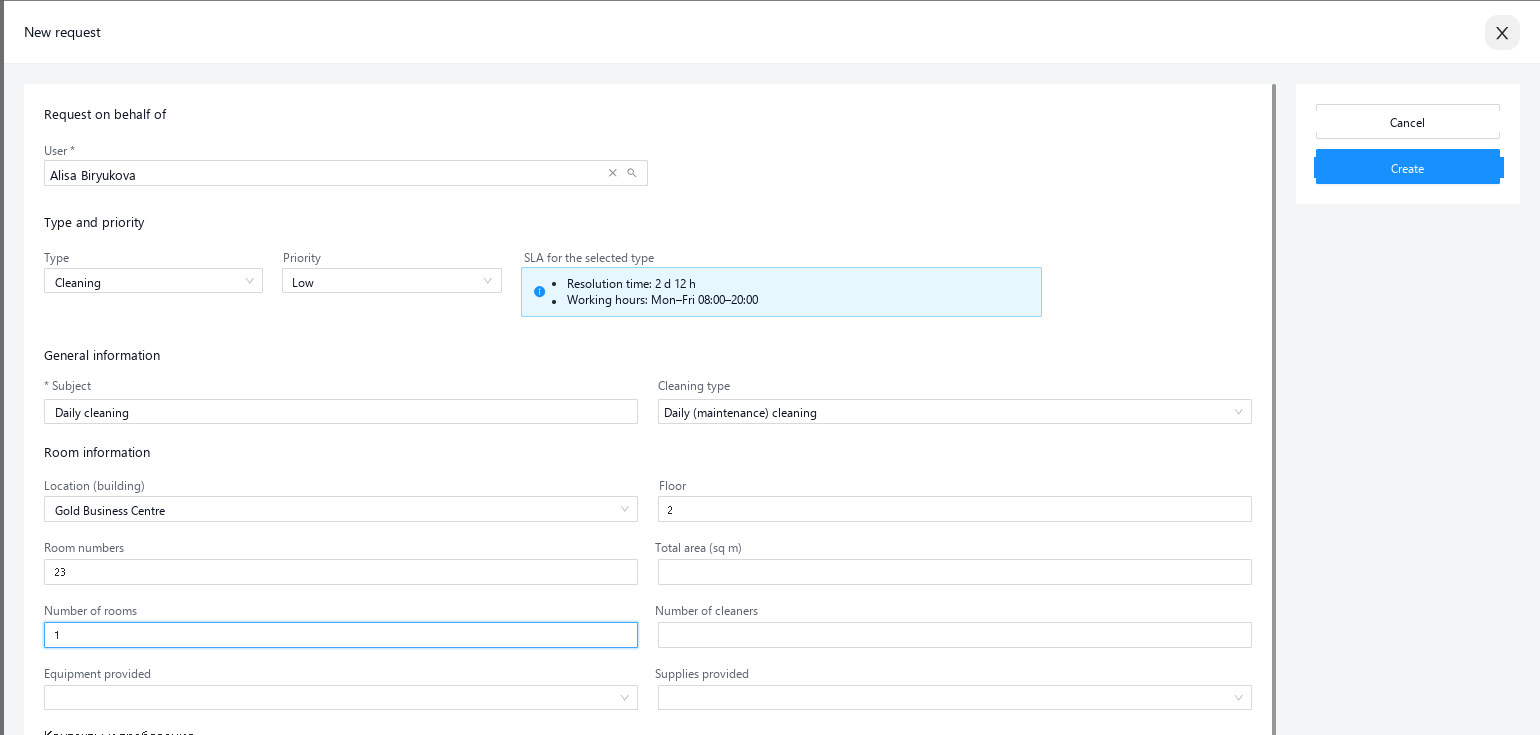
The Service Desk module is part of Smart Office and Merusoft IWMS. It does not require a separate implementation project: if the platform is already running, the module is switched on inside it and reuses the same buildings and rooms reference books, the same users and the same mobile app.
No. The module also works as a standalone service desk for the facility team: a reference book of buildings and rooms plus a list of employees is enough. The other modules — desk booking, meeting rooms, lockers, parking — are connected later, when the need for them appears.
The basic scenario — the “Office facility requests” type with a free-form description of the work — goes live in one working day. Every further type, with its own fields, reference books, SLA and route, is configured in 2–3 hours. No development is required.
The requester needs none: they open the app, pick a type and describe the problem in their own words — the basic type has no mandatory reference books. The facility team picks up the web interface in one demo. A contractor does not need an account at all — they work through a link from the e-mail.
The resolution time is counted against the working hours of the specific request type — nights and weekends do not consume the clock if the type runs on weekdays from 08:00 to 20:00. As the deadline approaches and when it is breached, the system escalates the request to the assignee and the head of the service.
Yes, there is an “on behalf of” mode: an administrator or a manager raises the request for an employee, and all notifications during the work go to that requester. This covers the cases when the request arrived verbally or by phone.
No, that is the next step. The module works fully on requests raised by people. Sensors and QR tags are added later and one scenario at a time: leaks first, for example, then cleaning driven by footfall. The running process is not reworked in the meantime.
A demo takes 40 minutes: we submit a request from a phone, walk it through the whole lifecycle and configure your own request type live.