Book a desk in two clicks from the app or a self-service kiosk — or simply ask the AI agent. More than 400 booking settings fit any business process, from a small company to a corporation.
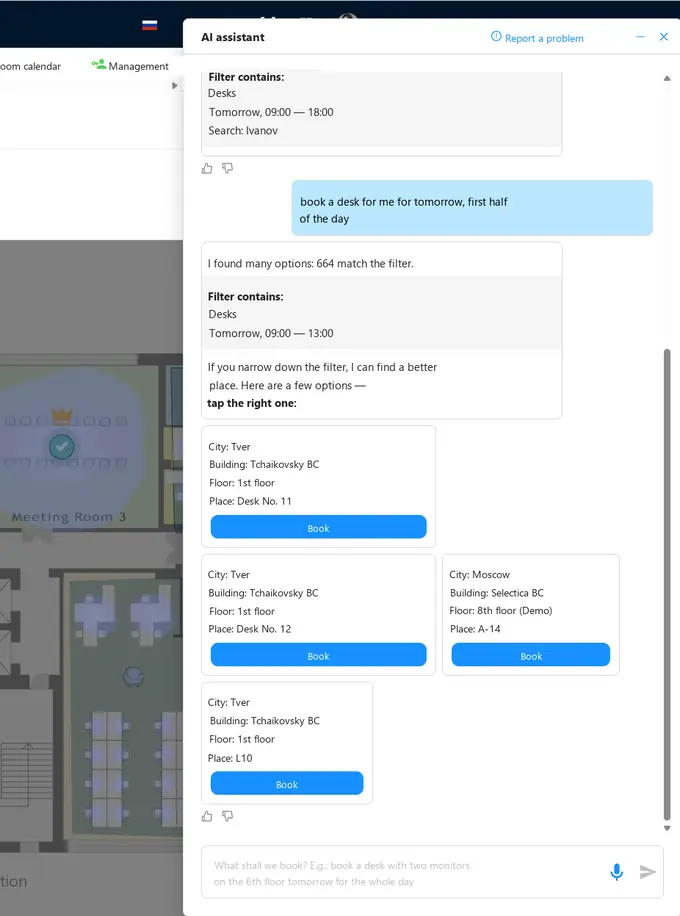
Any interface takes getting used to: find the floor, set the filters, read the map legend, get the dates right. Writing a request in plain language is something everyone can do. So alongside the familiar screens an AI assistant works inside the system, and an MCP server is open to the outside (a standard connector that plugs your corporate AI assistant into the booking system): your own AI agent books on our engine — for you, for colleagues, for a whole department. Every booking function is now within reach.
MCP (Model Context Protocol) is an open protocol that gives an AI agent access to external systems. Everything that used to require dedicated interfaces and integrations is now solved by connecting your assistant to our MCP server.
People choose the channel; the rules, limits and floor map stay the same — so the reports add up no matter where a booking came from.
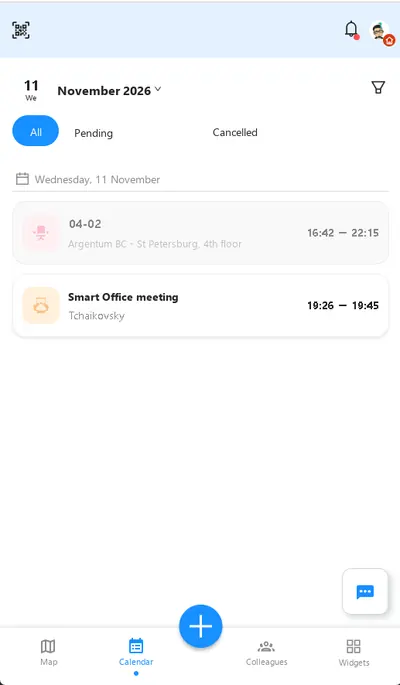
A 3D floor map in your pocket, booking in a few taps, check-in by the QR code on the desk or by NFC/Bluetooth.
A screen at the entrance: take a free desk without a phone, find a colleague, get directions to the desk.
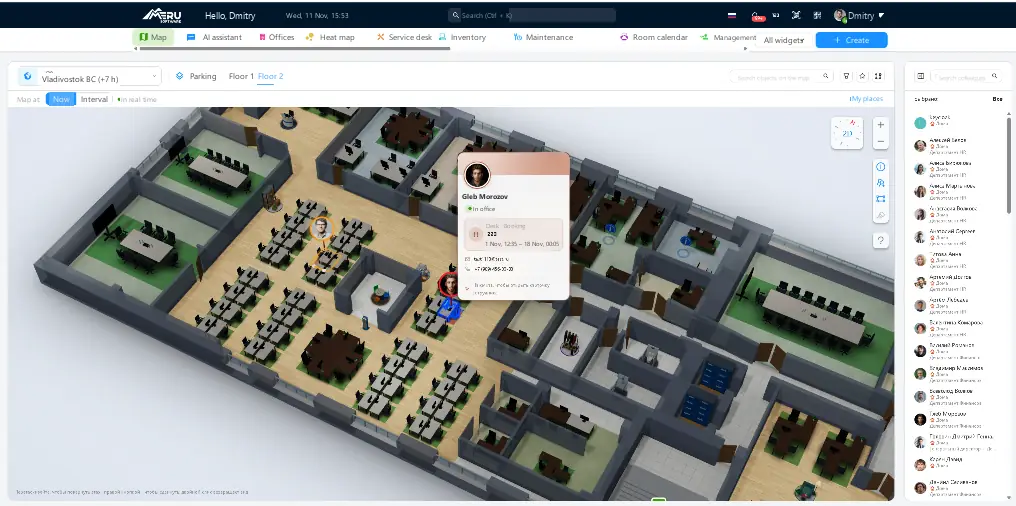
3D map, colleague list, attendance planner, team seating. The workspace of a team lead and an office administrator.
Booking from an intranet, corporate portal, HR system or chatbot — the same operations as in the interface.
Connect your own system and make bookings on our engine — for employees, colleagues and entire teams.
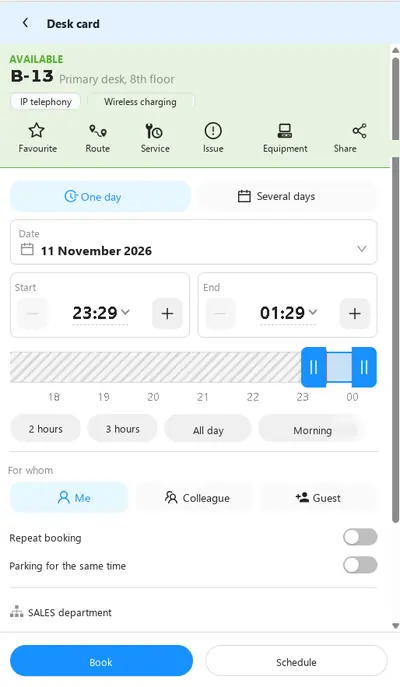
Finding a free desk is easy. Being next to the people you work with on the right day is hard. That is why booking is built around colleagues, teams and projects rather than desk numbers.
Find a person on the map — you can see where and when they sit. The neighbouring desk is booked in one step.
A manager or group supervisor seats the employees: the team comes in on its own days and sits in its own zone.
The team takes adjacent desks or a separate room for the duration of the project. The company sets how long such a booking may last.
An employee has one primary desk at any given time — and, if allowed, an additional one: a focus room or a desk in the project zone.
A desk is assigned to one employee or several — for shift work. The company decides who may book it: everyone, everyone with a warning, or only the assigned people.
Two monitors, a docking station, a height-adjustable desk — filter by equipment tags. Each desk’s equipment is tracked in the asset inventory.
An employee delegates the right to book to a colleague or an assistant. Guests and contractors get desks under separate rules.
If an employee is entitled to parking, it is booked in the same window as the desk, for the same hours.
The system adapts to any process. More than 400 settings: booking approval by a manager or the desk owner, check-in by a button, QR code, NFC/Bluetooth or access control, auto-release of unconfirmed bookings, limits per day, week and month, how far ahead a desk may be booked, access by department and floor, recurring bookings. Everything is set separately for primary and additional desks, for employees and guests — with no custom development.
The desk booking system covers every flexible-office model: unassigned desks (hot desking), scheduled desk booking, desk sharing between shifts and fixed seating — including the move to an agile office.
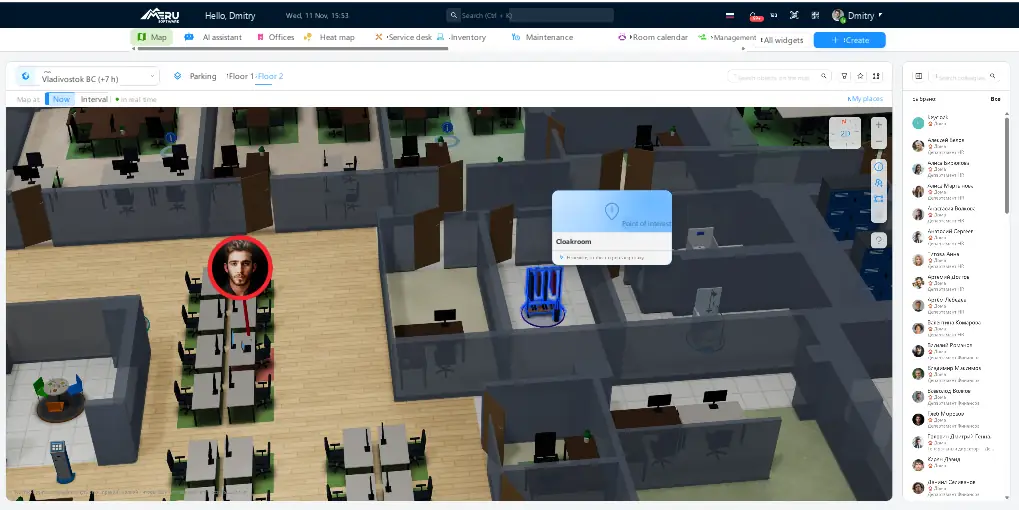
A three-dimensional floor plan is the first thing an employee sees. Moving furniture does not turn into a change request: desks, zones and objects are placed in the map editor.
The system can be launched with no hardware at all. But sensors turn booking from a record of intentions into a record of facts, and the office into an environment that is looked after.
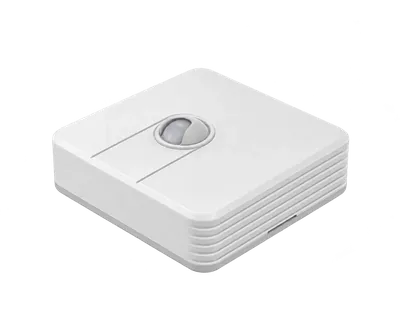
Detects that someone is actually working at the desk. The booking is confirmed with no action from the employee, and no-shows are visible immediately — not at the end of the quarter.
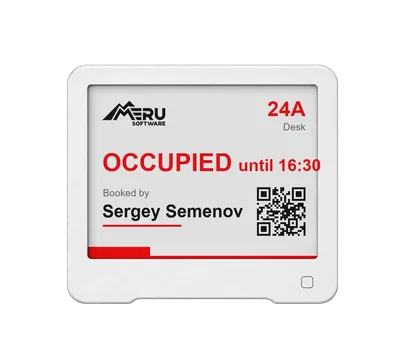
A label on the desk shows who occupies it and until when. Runs on a battery for months, needs no wiring and does not distract.
E-Ink displays →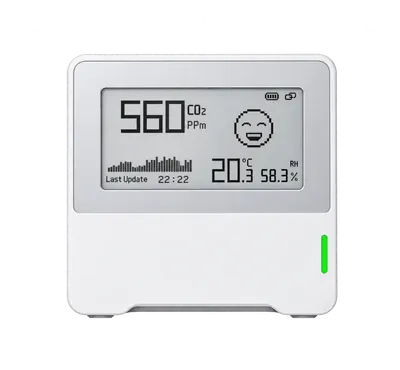
CO₂, temperature and humidity by zone. The administrator sees stuffy and overheated areas before anyone complains.
Sources: Seppänen O., Fisk W., Lei Q. Effect of Temperature on Task Performance in Office Environment, LBNL, 2006 — full text; Allen J. et al., Environmental Health Perspectives, 2016 — full text.
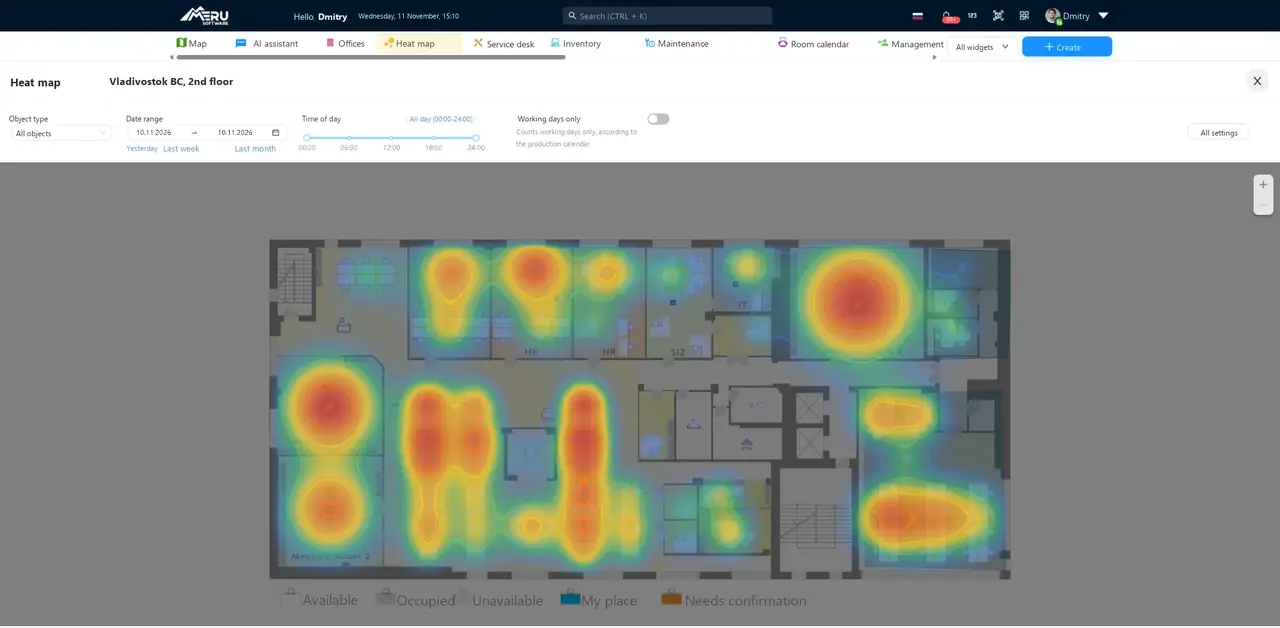
Every booking and every check-in is data about how the office is really used. The system turns it into occupancy analysis: you see which zones work and which ones you rent, heat and clean for nothing. Hence the main effect — lower office running costs.
The attendance planner shows the team for a month: who works in the office full-time, who comes in on a hybrid schedule, who is fully remote, who is on leave, off sick or on a business trip. Moving a team from one model to another is a matter of scheduling, not relocation.
| Name | 1Su | 2Mo | 3Tu | 4We | 5Th | 6Fr | 7Sa | 8Su | 9Mo | 10Tu | 11We | 12Th | 13Fr | 14Sa | 15Su | 16Mo | 17Tu | 18We | 19Th | 20Fr | 21Sa | 22Su | 23Mo | 24Tu | 25We | 26Th | 27Fr | 28Sa | 29Su | 30Mo |
|---|---|---|---|---|---|---|---|---|---|---|---|---|---|---|---|---|---|---|---|---|---|---|---|---|---|---|---|---|---|---|
| Aglaya Abramovahybrid | ✓ | ✓ | ✓ | R | ✓ | ✓ | R | ✓ | R | ✓ | ✓ | R | ✓ | R | ✓ | ✓ | R | ✓ | R | ✓ | ||||||||||
| Anna Titovahybrid | ✓ | R | R | ✓ | ✓ | R | ✓ | R | ✓ | ✓ | ||||||||||||||||||||
| Artem Arutyunyanoffice | ✓ | ✓ | ✓ | ✓ | ✓ | ✓ | ✓ | ✓ | ✓ | ✓ | ✓ | ✓ | ✓ | ✓ | ✓ | ✓ | ✓ | ✓ | ✓ | ✓ | ||||||||||
| Vsevolod Volkovhybrid | ✓ | ✓ | R | R | ✓ | ✓ | ✓ | ✓ | R | R | ✓ | ✓ | ✓ | R | R | ✓ | ||||||||||||||
| Dmitry Kholodovhybrid | ✓ | R | ✓ | R | ✓ | R | ✓ | ✓ | R | ✓ | R | ✓ | R | ✓ | ✓ | R | ✓ | |||||||||||||
| Elizaveta Orlovaremote | R | R | R | R | R | R | R | R | R | R | R | R | R | R | R | R | R | R | R | R | ||||||||||
| Igor Bobrovoffice | ✓ | ✓ | ✓ | ✓ | ✓ | ✓ | ✓ | ✓ | ✓ | ✓ | ✓ | ✓ | ✓ | ✓ | ||||||||||||||||
| Milana Fedotovahybrid | ✓ | ✓ | R | ✓ | ✓ | ✓ | R | R | ✓ | ✓ | ✓ | ✓ | ✓ | R | R | ✓ | ✓ | |||||||||||||
| Leonid Petrovhybrid | R | R | R | R | ✓ | ✓ | R | R | R | ✓ | ✓ | R | R | R | ✓ | ✓ | R | R | ||||||||||||
| Nika Sobolevahybrid | R | ✓ | R | ✓ | R | ✓ | ✓ | R | ✓ | R | ✓ | ✓ | R | ✓ | R | ✓ | ✓ | R | ✓ | R | ||||||||||
Attendance planner screen. Demo data.
Employees are not entered by hand, and arriving at the office is not marked with a separate button: the system takes this from the infrastructure you already have.
The platform runs in companies with a distributed structure, their own information security teams and strict infrastructure requirements.




The functionality is the same in every option. What differs is whose servers run the system and whether updates and technical support are included.
The system runs on our infrastructure. You need no servers and no administrator; launch takes about a week.
The system is installed on your servers or in your private cloud; data never leaves your perimeter. Paid by subscription.
The licence is bought once and stays with you for good. Installed in a closed perimeter to meet your security team’s requirements.
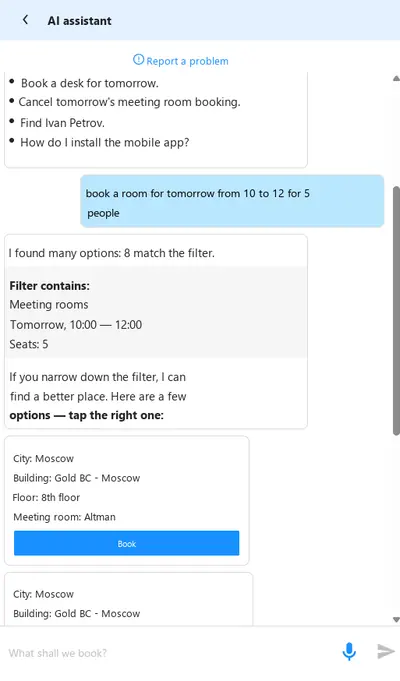
The result is the same — a booking in the same system under the same rules. The difference is the path: instead of opening the map, setting filters and picking dates, the employee writes or says what they need. The agent builds the filter and offers ready options. If the request is not specific enough, it asks rather than books at random.
MCP (Model Context Protocol) is an open protocol that lets an AI agent use an external system as a set of tools. Our MCP server exposes booking operations: your corporate assistant can find a free desk, book it, move or cancel the booking — for an employee, their colleagues or a whole team. You do not build an integration for every scenario and do not train people on our interface.
Yes, this is the core scenario. The desk booking system supports unassigned desks (hot desking), scheduled desk booking, desk sharing between shifts and fixed seating. The models can be combined on one floor: some desks are assigned to employees, the rest are booked freely.
Yes. A desk is assigned to one employee or several, and the company chooses the behaviour: anyone may book it, anyone with a warning, or only the assigned employees. Approval can be added on top — booking someone’s desk is approved by its owner or the team manager.
There is one primary desk at any given time. If the company allows it, an additional place can be booked in parallel — for example, a focus room or a desk in the project zone. The duration and number of such bookings are limited by settings.
Check-in is enabled: by a button in the app, by the QR code on the desk, by NFC/Bluetooth, or automatically by an access-control event, a work-computer login or an occupancy sensor. An unconfirmed booking is cancelled after a set time and the desk returns to the shared pool.
No. The minimum scenario is the mobile app and the web — no hardware required. Occupancy sensors, E-Ink labels, air quality sensors and kiosks are added when you need a record of facts rather than intentions, and are selected for your office.
Bookings and check-ins add up to occupancy analysis: the heat map and reports show which zones and floors are used and which stand idle. This data supports decisions on denser seating, moving to a hybrid model or giving up part of the space.
They are modules of one Merusoft SmartOffice platform sharing the same directories of buildings, floors and employees. A parking space is booked in the same window as the desk if the employee is entitled to it. You can start with desks and add the rest later.
A demo takes 40 minutes: we book a desk from the app and through the AI agent, set the rules to your policy, and show the 3D map and occupancy analysis — on your office scenario.